Shape the future of in-car infotainment
Google's built-in infotainment platform provides a seamless OS where drivers can use their
favorite apps without a phone. See guidance and flexible tools to inspire your next
customized, AI-integrated experience.

A flexible windowing system built for multi-tasking
Drivers expect an adaptive and intuitive infotainment system that lets them quickly shift
focus
on their task in the moment, whether using maps, listening to music or giving a quick
reply.
Scalable UI makes this possible without custom code, automatically adapting
Google's
UX recommendations to your specific hardware and scaling content to any screen size. See
two
frameworks that enable different in-vehicle infotainment interaction models:
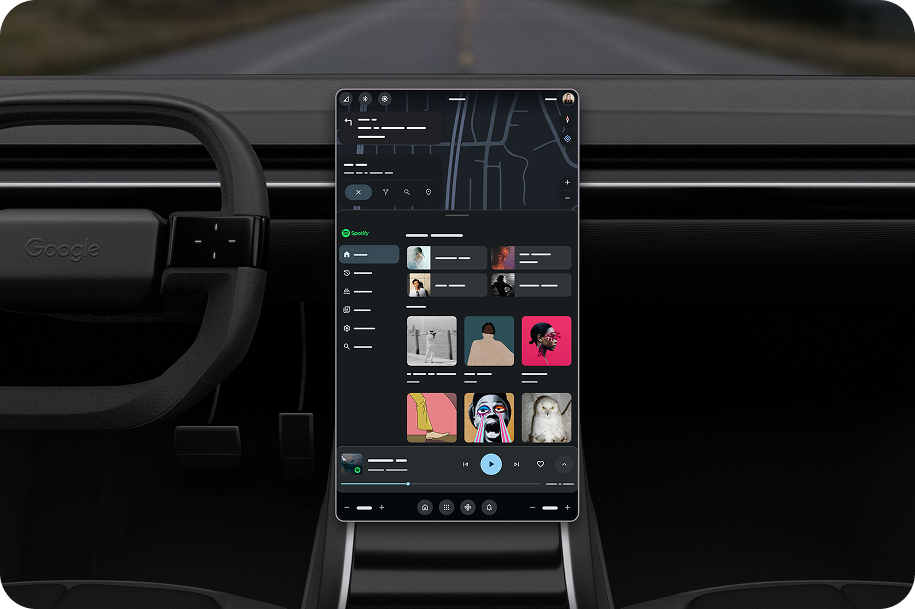
Layered
Best for larger screens
Maps or core content remains in the background (Layer 0), with secondary apps and controls stacking cleanly on top.
Maps or core content remains in the background (Layer 0), with secondary apps and controls stacking cleanly on top.
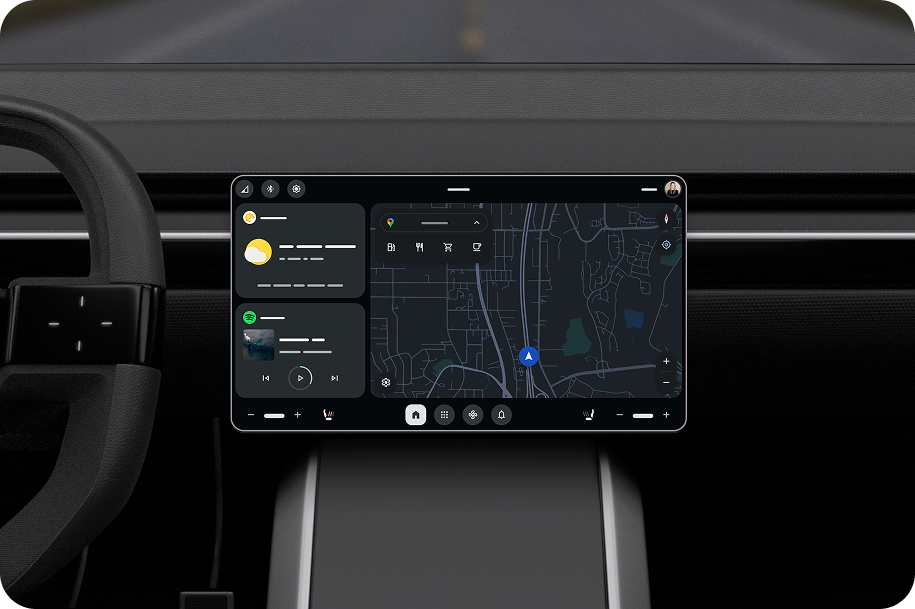
Dashboard
Best for smaller screens
Traditional, full-screen approach where a single app takes over the display to highlight specific content or simplify focus.
Traditional, full-screen approach where a single app takes over the display to highlight specific content or simplify focus.
Create cohesive branded experiences
Express your unique brand with theming across AAOS, Google built-in, and third-party apps. Design tokens help you incorporate the look and feel of the apps your customers love with standardized colors, edging, and typography.


Guidelines to optimize for the drive
Use the following guidelines to create driving-optimized, intuitive experiences for drivers.
UX requirements
Make sure your app meets design requirements for usability in cars.
Guidelines for custom screens
Learn how to design sign-in and settings screens for media apps.
Use our building blocks to create your experience
See the components that come together to create your app.

Design for the app ecosystem
Drivers expect more apps in the car than ever before. These apps need to be easy to find and use on the go, while still feeling harmonious with your overall system.
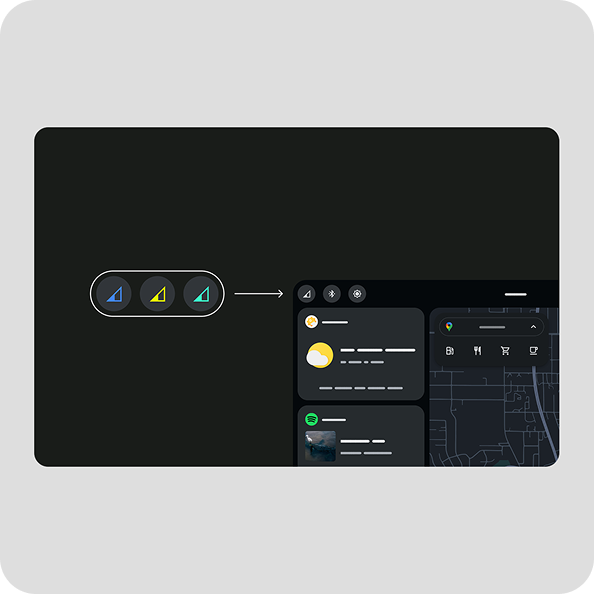
Customize app icons
Help drivers recognize their favorite apps by including accent colors.
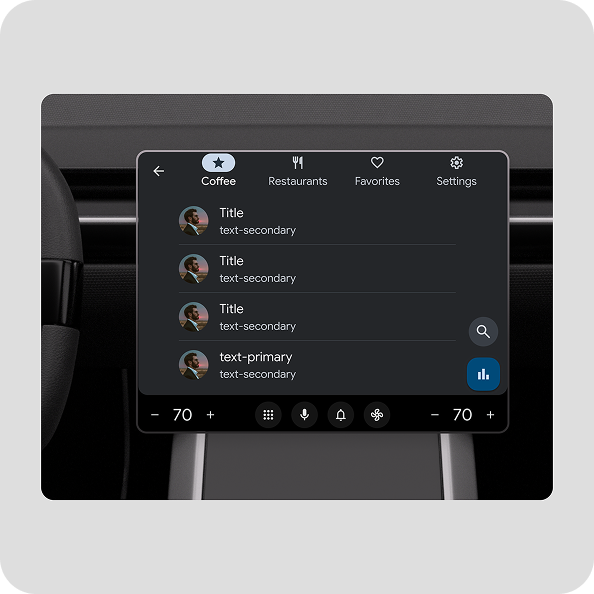
Save time with templates
Use templates to create a variety of app experiences, from finding parking and charging options to communicating with home devices while on the road.
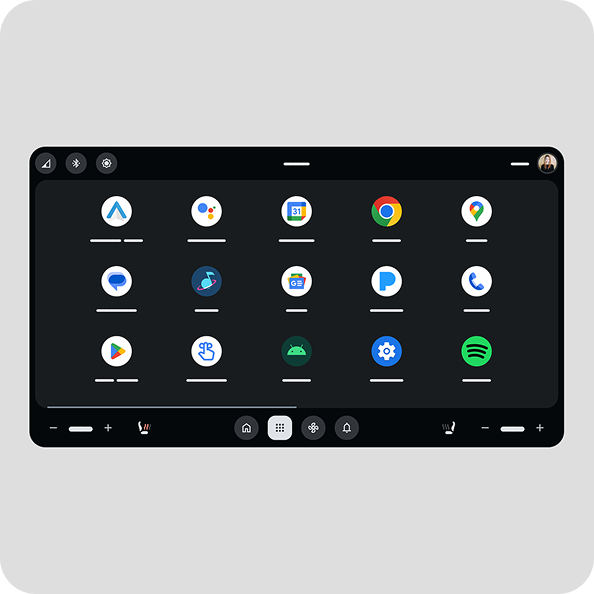
Make apps easy to launch
The app launcher lets users browse through their available apps and other main options, then select the one they want to launch.
Make the drive productive and fun with Gemini
The future of driving just got smarter. Gemini, Google's powerful AI assistant, is built into cars with AAOS. Gemini helps drivers take care of tasks like sending a message, picking a new restaurant, or even brainstorming ideas for a meeting, simply by speaking naturally.


Best practices
Find out how to create the best Gemini experience for the car.
Build trusted Google apps right into the car
Google Built-in transforms the core AAOS platform by seamlessly embedding the Google services drivers already rely on— like Maps, Google Play, and Gemini— right into the car's infotainment system.

Enhance the experience with a phone
Provide a well-rounded, personal experience for drivers by leveraging their phones.

Companion app
Provide remote services and allow users to set up their Google profile and services before they even enter the vehicle.

Trusted device (Bluetooth)
Enable rapid, seamless sign-in and quick profile switching by using the nearby, connected phone as a verified trusted device.