Drivers today expect an infotainment system that is as adaptive and intuitive as their smartphones. Whether navigating to a new destination, selecting a playlist, or responding to a quick message, drivers need to be able to shift between tasks seamlessly and safely.
Google's scalable UI windowing solution is an evolution of this experience. It allows for flexible, streamlined windowing implementation across screen sizes and configurations – including portrait, landscape, and panoramic screens – without extensive custom code.
Scalable UI is available for Android 15 or higher.
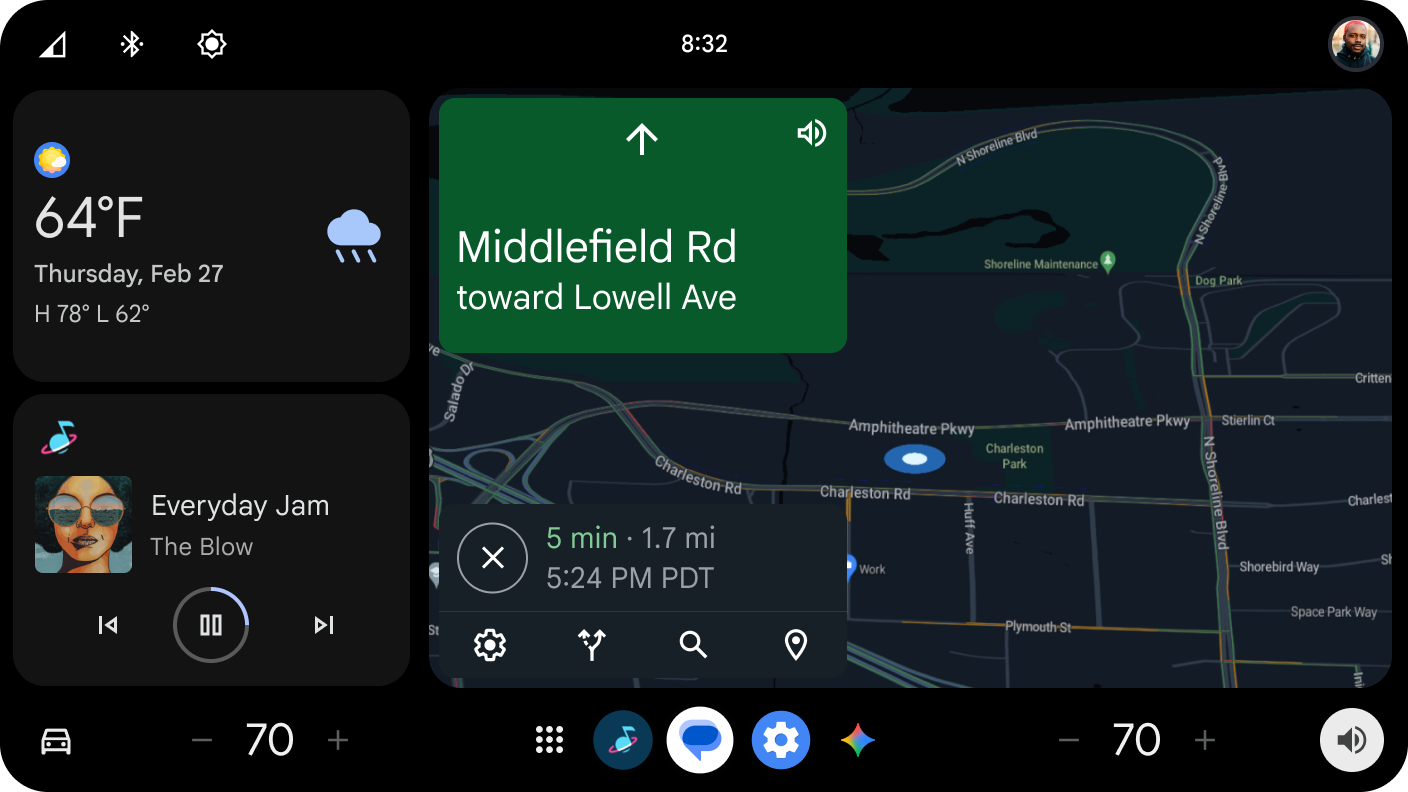
Enable multitasking with ease
With Scalable UI, you can define unique windows and assign any type of content (apps, widgets, media, controls, etc.) to them. This provides ultimate flexibility for different vehicle models and screen layouts.
You can move and animate each panel independently without writing new code.
Frameworks
Scalable UI lets you adopt Google's UX recommendations for your specific hardware, scaling content to help ensure clarity on any screen size. To support different vehicle layouts, there are two primary interaction frameworks:
Layered (portrait orientation)
The layered framework is built for multitasking on expansive displays. The framework treats navigation as the "anchor" of the driving experience, keeping it permanently visible to minimize distraction.
- Core architecture: Maps or primary content remain in the background as Layer 0, while secondary apps and controls stack cleanly on top.
- Task management: Drivers can perform several tasks simultaneously, with commonly used functionality placed near the driver based on reach curves and physical anchoring.
- Persistent controls: Key elements like media controls, system navigation, and active phone calls are always accessible on the Home screen.
Dashboard (landscape orientation)
The dashboard framework provides a traditional, full-screen approach that simplifies focus for smaller displays.
- Core architecture: A single app takes over the entire display to highlight specific content or simplify a complex task.
- User experience: Similar to a mobile phone interaction model, launching an app expands it to full screen, ensuring that even on limited display real estate, targets are easy to touch and content is easy to read.
Design guidance
The Scalable UI solution is built on a foundation of safety and usability. By adopting these frameworks, you can achieve several key goals:
- Enable multitasking: Provide a way for drivers to manage navigation and media without deep menu diving.
- Prioritize navigation: Ensure that a navigation app is always available or just one tap away, as this is the tool drivers refer to most during their journey.
- Ensure control accessibility: Frequently used system controls should remain anchored to the Home screen to keep the driver's eyes on the road and hands on the wheel.