
数字车钥匙 (DCK) 可在兼容的安卓设备上启用,无需额外安装应用程序。在推广 DCK 解决方案时,请勿提及谷歌官方应用程序,例如 Google Wallet。我们鼓励合作伙伴将 DCK 作为兼容设备上的安卓系统功能进行介绍。
例如:
"All you need to do is send them an invitation from your Android device."
"Set up a car key on a compatible Android device and share it with up to five friends."
"Your digital car key will then be stored in a compatible Android device."
For editorial guidelines, see Partner Marketing Hub Editorial guidelines .
在安卓设备上点击“添加到钱包”按钮
为了提供一致的用户体验,当您使用链接让用户配对新的车辆钥匙时,请在深度链接前添加“添加到钱包(Android)”按钮图片。您可以在应用、网站、电子邮件和短信中使用此按钮。请参阅合作伙伴营销中心徽章指南。
- To download the Add to Wallet to Android button images in dark and light theme.
- To understand the Add to Wallet to Android button integration guidelines .
- To get the Add to Wallet to Android localized text
安卓
在设备的硬件、包装或营销材料上使用 Android 商标仅限于 Android 兼容设备。有关通过文本、徽标或文字商标提及 Android 的指导,请遵循Android 指南。
车辆原厂品牌图片
您必须提供以下品牌图片。在某些情况下,您可以提供多个素材,并为这些素材指定标识符。有关如何提供这些标识符的信息,请参阅“环境间共享”中的“通用项目”表。
背景卡片图片

Figure 1. Position and size of the background card image.
This image is used for the background of the card.
- 必需的
- 真的
- 解决
- 380 dp x 238 dp(1520 像素 x 952 像素,xxxhdpi)
- 基数
- 每个
ui_identifier支持一个。
模型名称叠加层
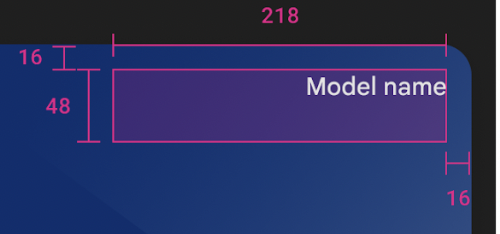
图 2.型号名称叠加。
Avoid placing art or text in the redlined area. The model name is overlaid on the card art. The name is the value received in the key tracking response.
- 最大字符数
- 45
- 封锁区域
- 218 dp x 48 dp(872 px x 192 px,xxxhdpi)
- 字体颜色
- Black or white, automatically chosen based on the detected background in that area.
DCK icon for card collapsed view in Google Wallet
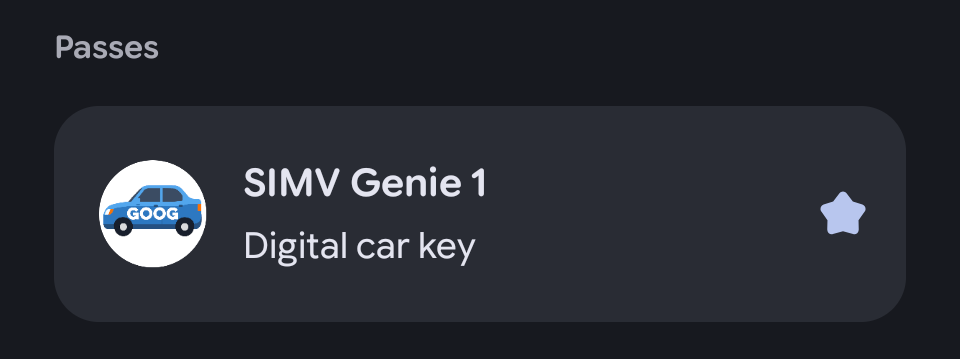
Figure 3. Digital car key collapsed view in Wallet passes overview.

Figure 4. Digital car key collapsed view in Wallet favorites.
在 Google Wallet 中,用户数字密钥折叠视图上显示的图标。像素大小会根据设备尺寸自动缩放。徽标会自动调整以适应圆形设计,无需预先调整。请将徽标放置在安全区域内。徽标应以正方形显示,并采用全出血背景色。徽标应留有 15% 的边距,以避免在调整时被截断。
- 首选文件类型
- PNG
- 解决
- 1200像素 x 1200像素
- 利润
- 15%
- 图像宽高比
- 1:1
- 艺术作品宽高比
- 1:1
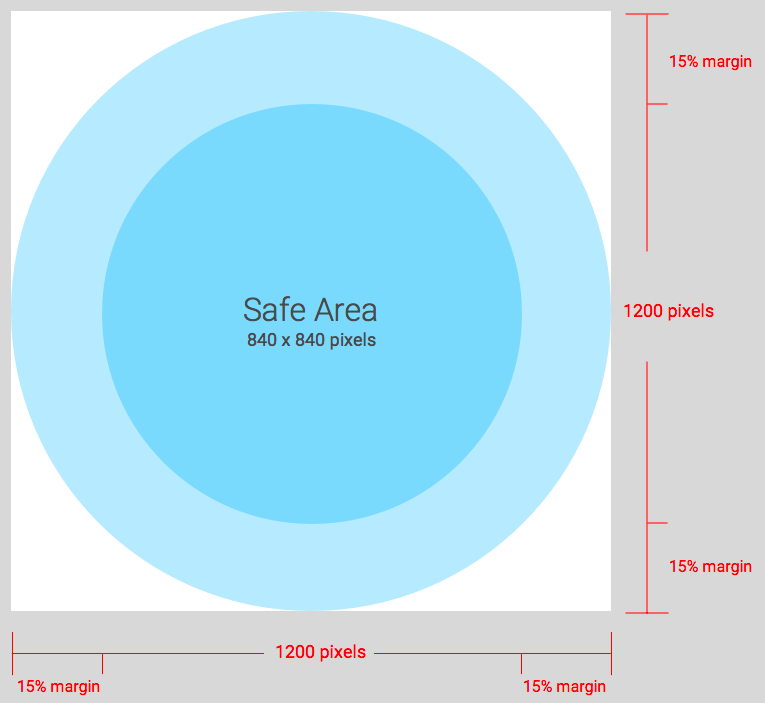
Figure 5. DCK icon for card collapsed view specification.
Android 应用图标
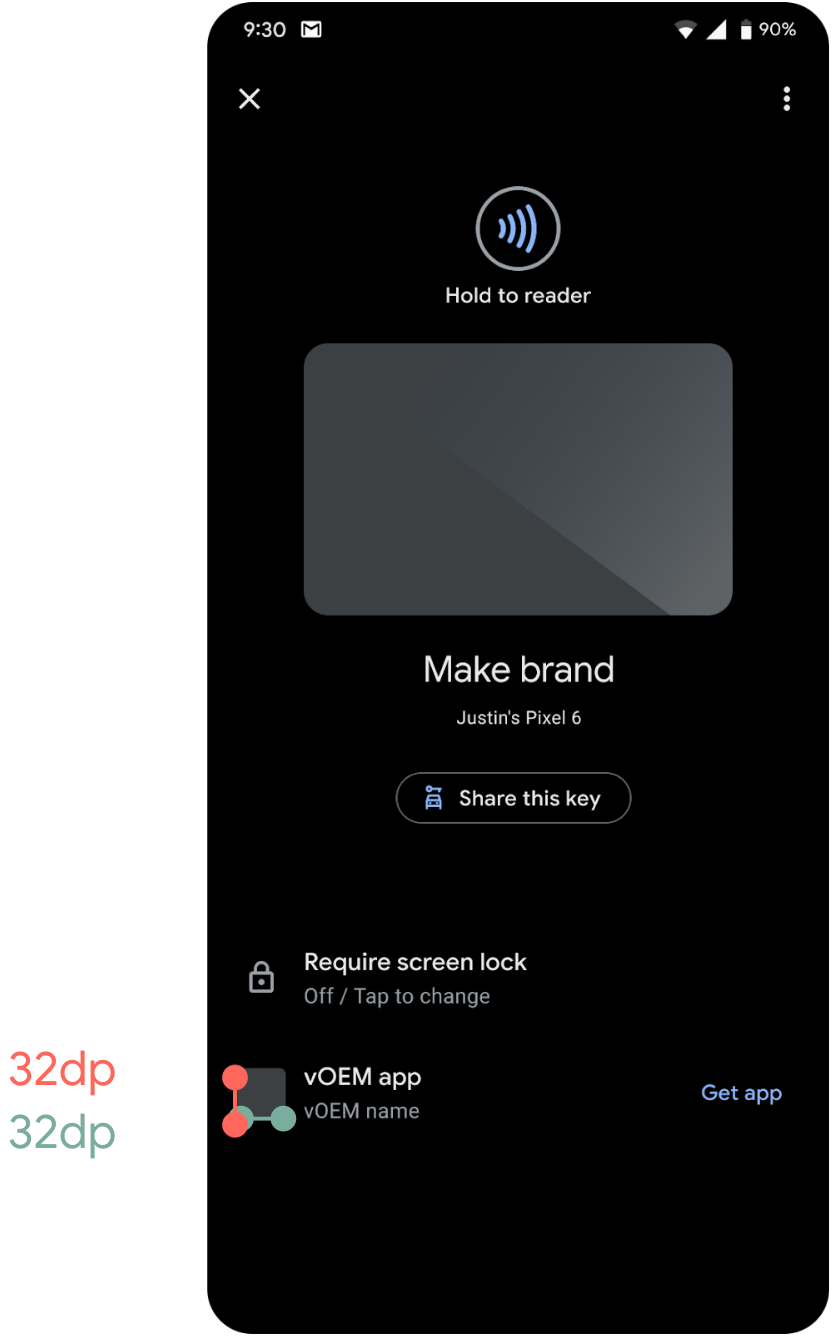
图 6. Android 应用图标。
The icon shown as a reference to your app. Can be the same icon as your app on the Google Play app store.
- 必需的
- True - or grant permission to use the icon from the Play Store
- 解决
- 32 dp x 32 dp(128 px x 128 px,xxxhdpi)
- 基数
- 每个提供给 Google 的应用包名称对应一个。
将手机对准配对图像

图 7.将手机放置到配对图像处。
This image shows users where in the car to place the phone to begin pairing.
- 必需的
- False - 如果未提供任何值,则显示默认值。
- 解决
- 412 dp x 300 dp(1648 像素 x 1200 像素,分辨率为 xxxhdpi)
- 基数
- One per identifier value provided during owner pairing.
DCK营销
如果您计划在营销材料中使用 Google 品牌(例如 Android 或 Google Wallet),则需要遵守 Google 的品牌指南,并且合作伙伴品牌团队必须审核并批准相关素材。
市场营销指南和材料
Guidelines and material for DCK marketing are available on the Google Partner Marketing Hub .
营销材料审核
Google 合作伙伴营销中心提供了一个提交表单,您可以在其中上传营销素材。请在提交表单中选择“数字车钥匙”作为主要品牌,以便将请求转发给相应的团队。请注意列出的交付周期。我们建议您尽早开始。
The Partner Marketing Hub also offers a contact form to clarify questions on brand usage before submitting any material.