Digital car keys play an increasingly important role in how drivers access and interact with cars. As they become ubiquitous, they create new opportunities to personalize and streamline the driving experience.
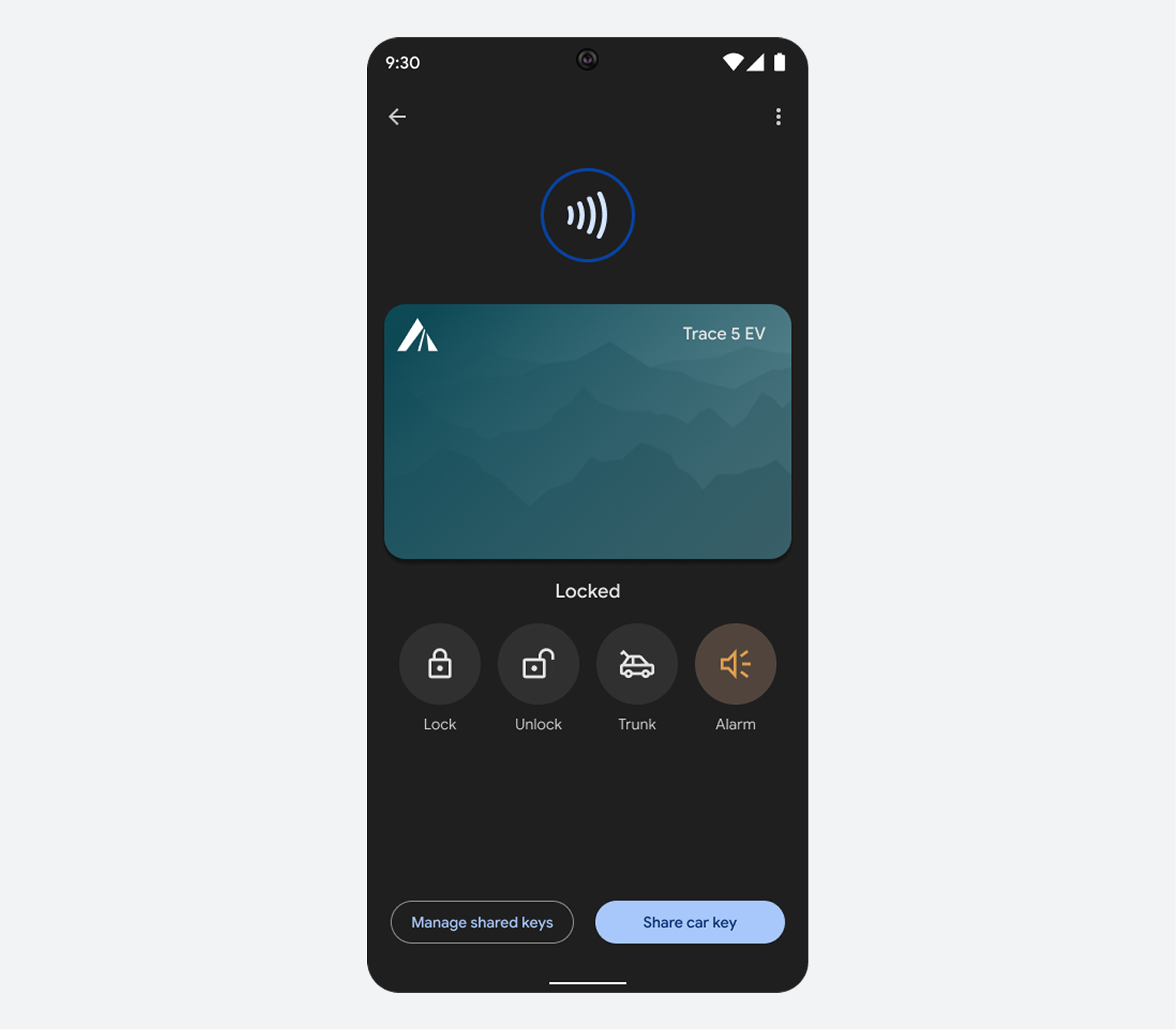
With just their phone or smartwatch, drivers can:
- Lock and unlock car doors.
- Start the car and drive.
- Open the trunk remotely.
- Securely share keys with anyone using an Android or iPhone.
- Control access levels, ranging from lock/unlock only to full driving access.
Digital car keys offer several advantages over traditional physical fobs:
- Convenience: Drivers can interact with their car just by having their trusted device nearby, eliminating the need to carry physical keys.
- Security: Digital keys use advanced, hardware-backed solutions that are less vulnerable to relay attacks than traditional fobs.
- Remote management: Owners can instantly suspend or delete keys via Google Find Hub if a phone is lost or stolen.
- Granular control: Owners can decide which permissions to share with key recipients.
How it works
Digital car keys work by using a combination of Bluetooth and Ultra Wideband (UWB) technology, or NFC technology, to create a secure connection between the car and the driver's phone.
For a seamless experience, passive entry allows drivers to access their vehicle without holding their phone or watch near their car's NFC reader (exact NFC reader locations vary depending on the car model).
Drivers can also disable passive entry, and instead hold their phone near the NFC reader to lock/unlock, as shown in the following example.

Design guidance
Partners must design the user journey where the digital software meets the physical hardware. Use these principles to ensure a safe and intuitive experience.
1. Simplify the pairing journey
The setup process is the most complex part of the user experience and requires clear partner-designed instructions.
- In-car hardware guidance: Use the car's head unit to show the driver exactly where to place their phone for pairing (e.g., "Place phone on the wireless charging pad").
- Multiple initiation points: Allow users to start setup from your branded mobile app, an email link, or directly from the car's infotainment screen.
2. Prioritize safety and feedback
Design for the "drive state" by minimizing distraction and providing clear system status.
- Non-visual confirmation: Provide auditory or exterior lighting cues when a digital key successfully locks or unlocks the car so the driver doesn't have to check their phone.
- Automatic unlocking: Enable passive entry by default to allow hands-free access.
4. Cross-platform consistency
Whether a user is on Android or iOS, the branded parts of the experience should feel unified. Use the same icons and language for "digital car key" across the car's head unit and the mobile app to reduce cognitive load.