These steps help you understand what components you can customize to support unconsented users.
- Customize the content modal
- Define your re-entry points
- Plan reminders
- Determine timing and cadence of the consent prompt
- Plan for inactive states, UI elements, and physical buttons
Customize the content modal
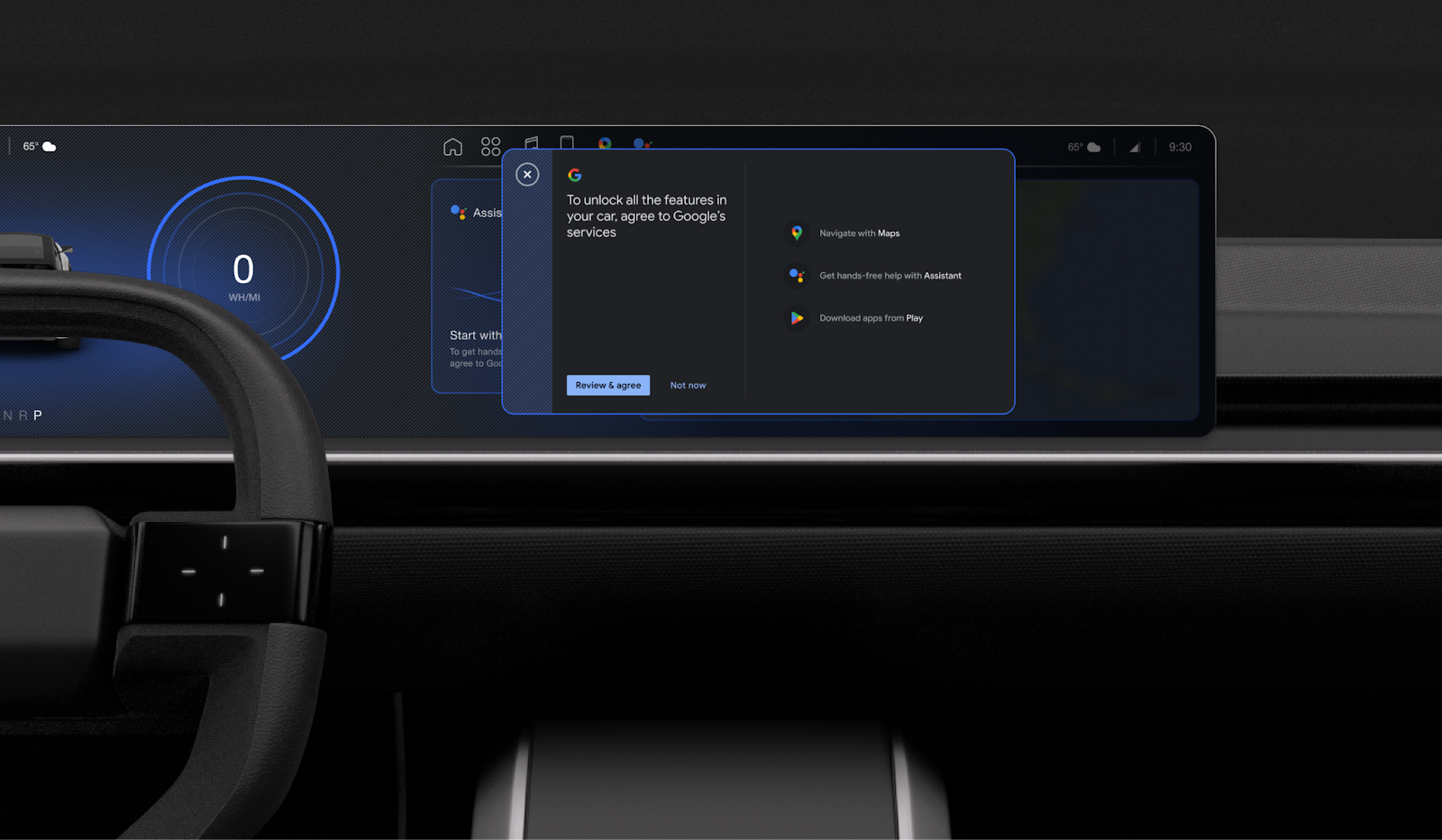
The consent prompt is housed in the content modal. You can customize the content modal to fit with your design system, and provide entry points to it using both reminder banners and contextual actions.
| Customizable | Not customizable |
|---|---|
|
The consent prompt is shown in the content modal frame. The pages are designed to adapt automatically to the size and orientation of the car screen. You can customize:
|
Page content |
Define your re-entry points
To provide re-entry points to the gToS prompt, follow these steps:
- Create a proactive reminder banner (optional): Develop a persistent reminder banner that help users rediscover the consent flow.
- Audit your inactive states: Review your existing Google services touchpoints, identify those that are turned off until a user consents, and plan for how to use these inactive states to trigger the consent prompt.
Plan a reminder toast (driving state)
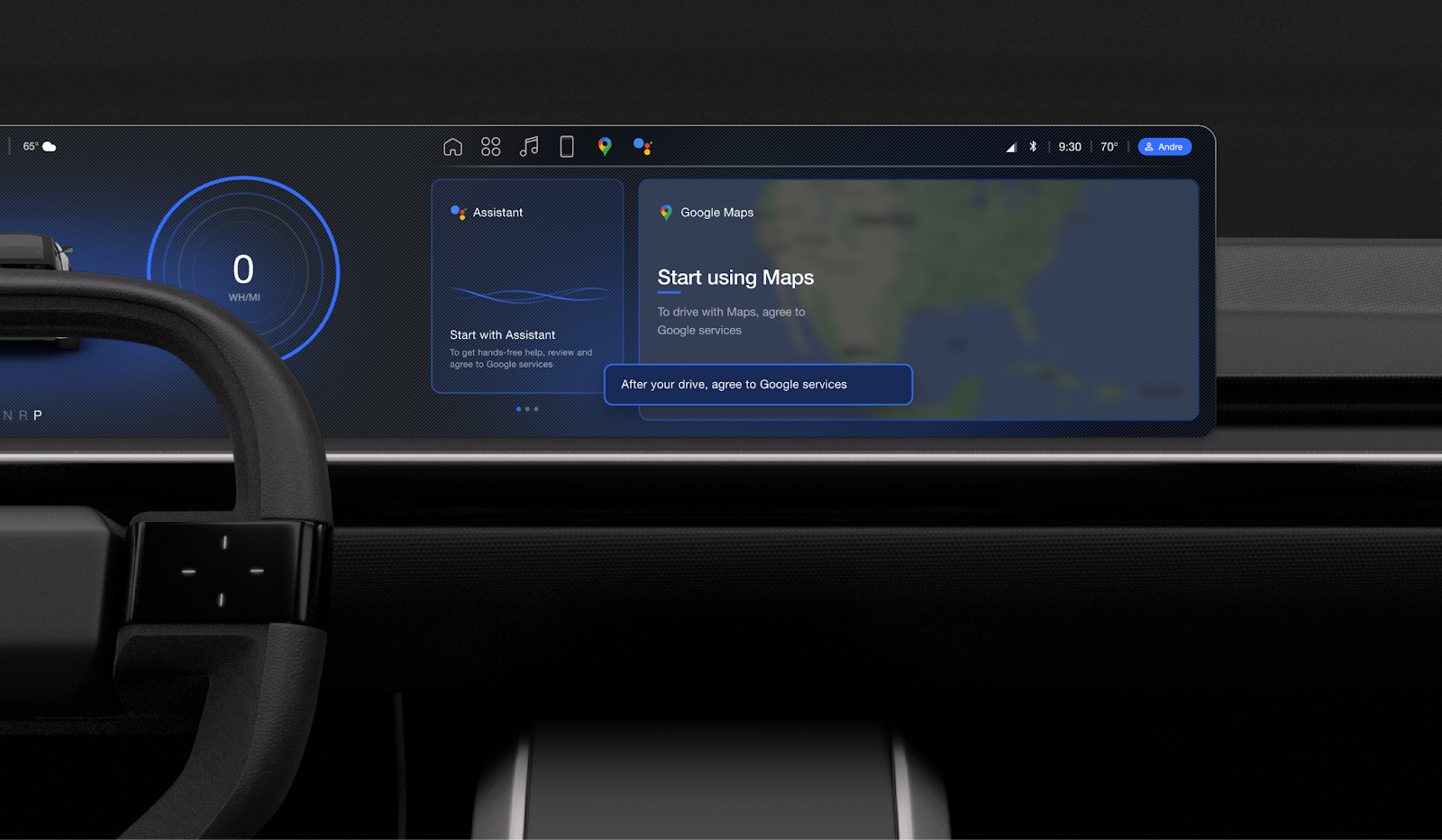
Decide how and when to incorporate a reminder toast telling users to agree to gToS. Keep it short and actionable to avoid distracting the driver.
| Customizable | Not customizable |
|---|---|
A toast is the same customizable property as other system components, meaning you can change:
|
Text: you must keep the default text unless there's a strong reason to change it |
Plan a reminder banner
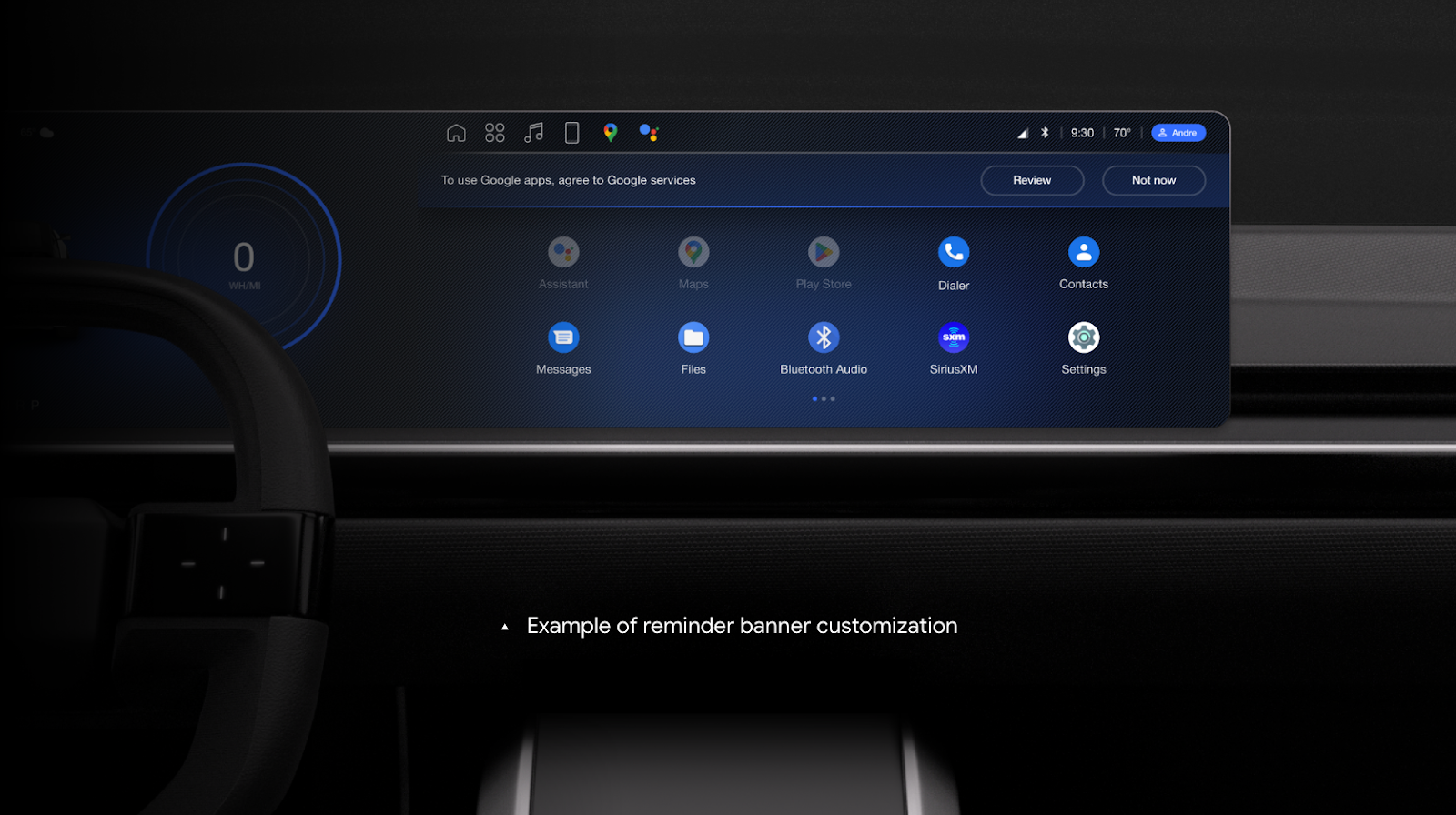
You can choose to show a banner reminding users to agree to gToS. When designing this banner, make sure it doesn't overlay any apps, and anchor it to the top or bottom of the screen.
By default, the reminder banner is triggered every time a user restarts the car, and you can customize this behavior to fit your preferences.
| Customizable | Not customizable |
|---|---|
A banner is the same customizable property as other system components, meaning you can change:
|
Text: you must keep the default text unless there's a strong reason to change it |
Determine timing and cadence of the consent prompt
By default, the consent prompt appears at the start of every drive. You can change the cadence, and should plan to present the prompt at a safe and helpful moment.
Design inactive states
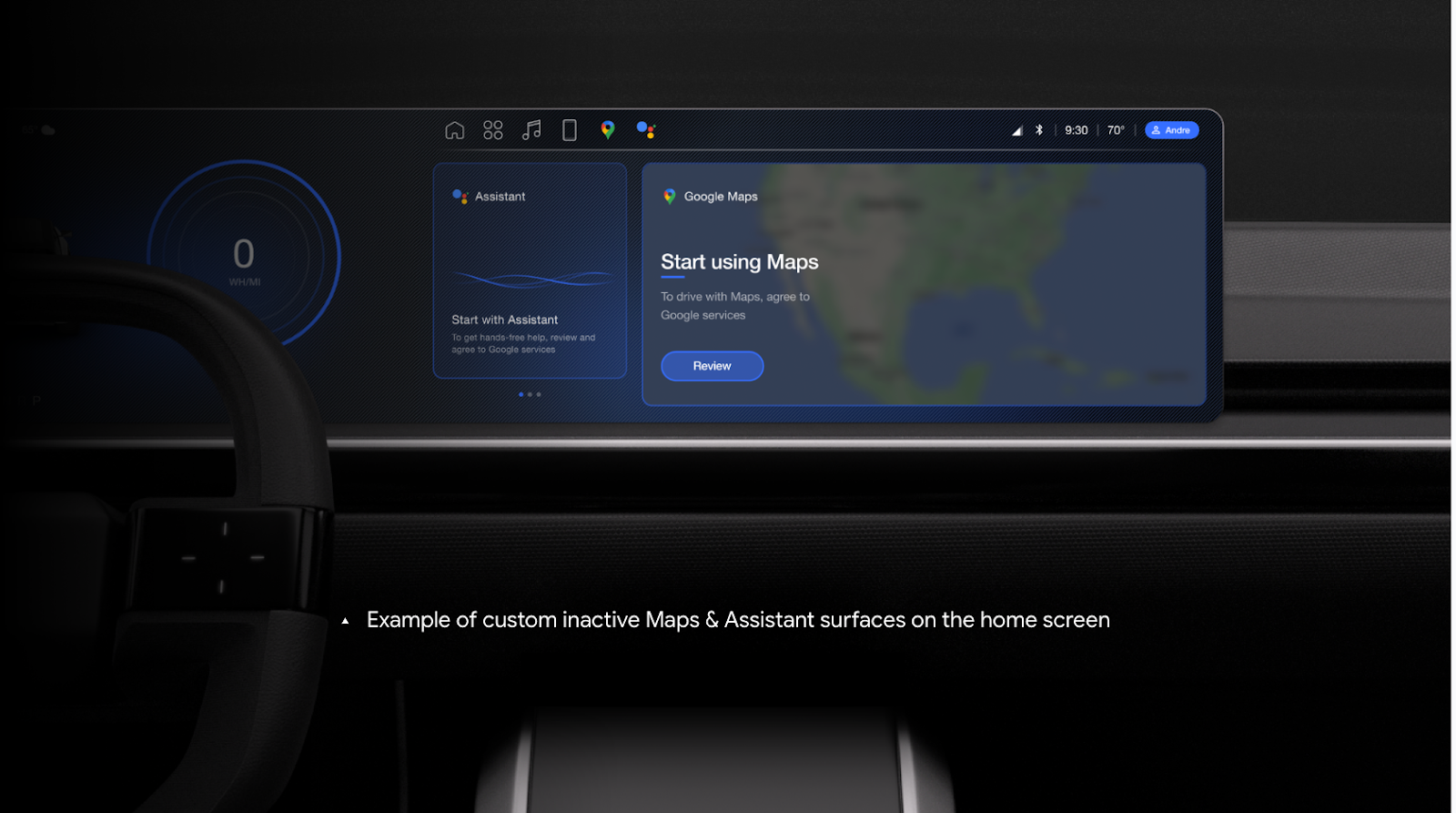
If a user dismisses the initial consent prompt, they land on the homepage with Google services unavailable. In this state, use a card such as Maps to educate users that the services aren't ready for use and present a call to action that re-triggers gToS.
Steps:
- Audit your inactive states: Review your existing Google services touchpoints, identify those that are turned off until a user consents, and plan for how to use these inactive states to trigger the consent prompt.
- Design inactive states: Decide how to present inactive Google services,
and how they prompt users to trigger the consent flow, including:
- Design inactive cards (like Maps and Gemini) for your home screen
- Design inactive app icons
- Plan inactive settings
- Plan inactive physical inputs
| Customizable | Not customizable |
|---|---|
|
Text: if you include messaging around the inactive state, you must use default text unless you have a strong reason to change it. |
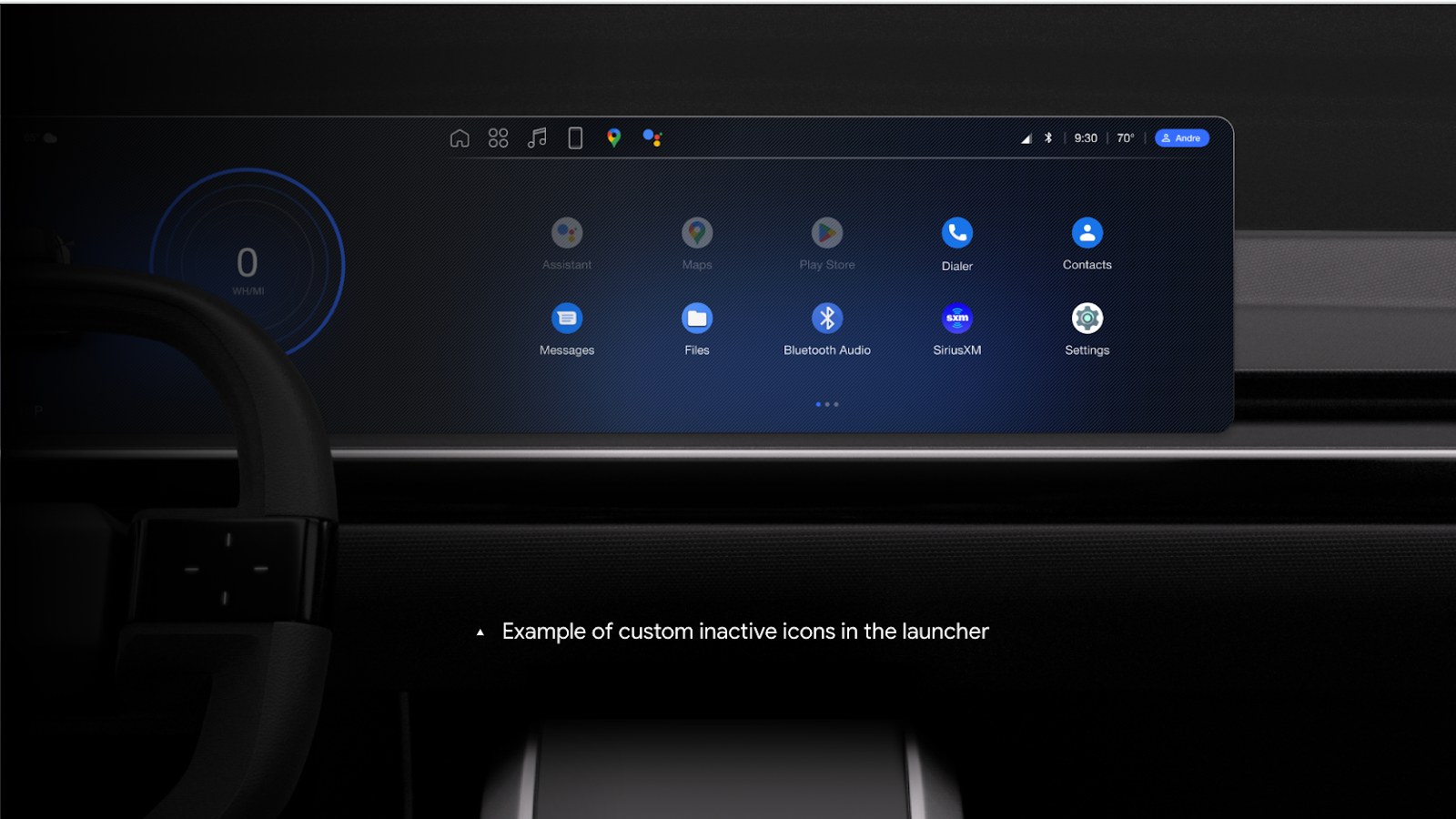
Plan inactive app icons
For unconsented users, Google apps won't be available. Show these apps as inactive in the app launcher, and verify that gToS consent opens for users who tap on them.
| Customizable | Not customizable |
|---|---|
|
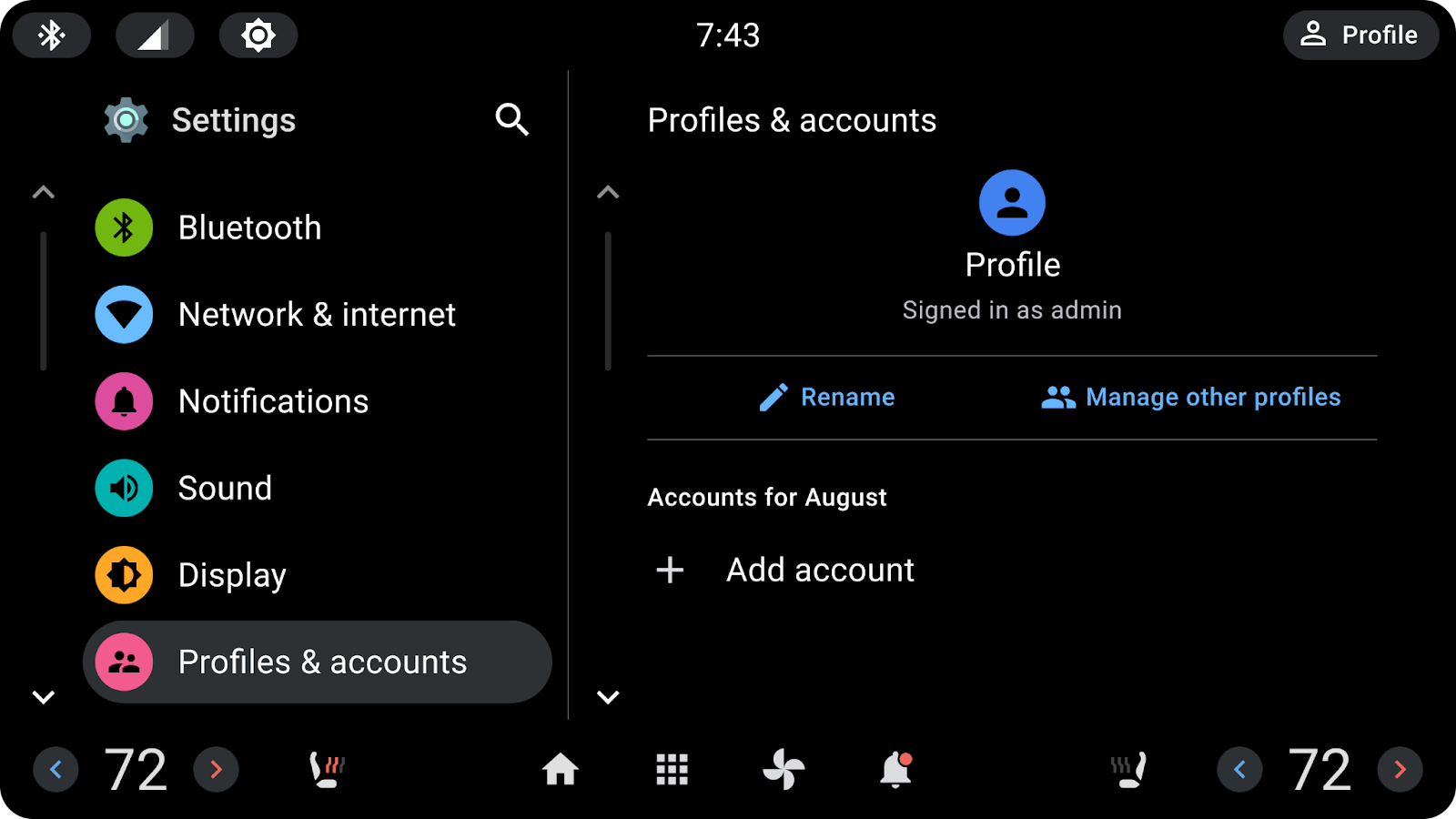
Plan inactive settings
While unconsented users see all settings, Google Account settings like Google sign-in trigger gToS. You should avoid applying any inactive treatment to these settings.
| Customizable | Not customizable |
|---|---|
You can customize all aspects of settings. |
Plan inactive physical buttons
Input buttons that invoke Gemini, such as the push-to-talk button on the steering wheel, also trigger gToS. You can also consider using voice or audio to direct users to the gToS flow.
| Customizable | Not customizable |
|---|---|
Any hardware input button should trigger the consent prompt. |